

Mroya — your personal AI with memory

Pick up where you left off.

Save a preference, a plan or a decision. Mroya can bring it into your next conversation, even a week later.

Work in Mroya
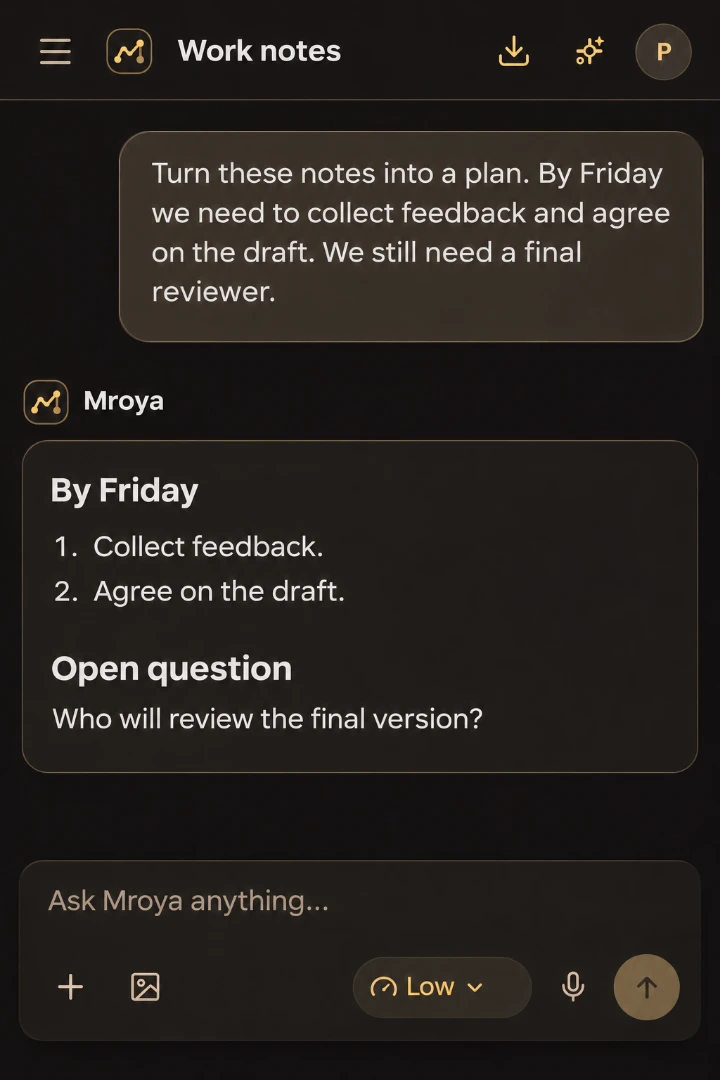
Example work chat in Mroya. Mroya turns notes into two tasks for Friday and flags the open question of who will review the final draft.
From a conversation · example

“Turn these notes into a plan.”

How memory works

Remember the title when it matters.

In spring, a friend mentioned a book she’d spent a long time trying to find.

  1. Mention the book

    “My friend has been looking for The Secret Garden for ages.”

  2. Save the title

    Review the memory Mroya suggests and save it with the book’s title.

  3. Ask before her birthday

    In a new chat, ask Mroya, “What book did my friend mention?”

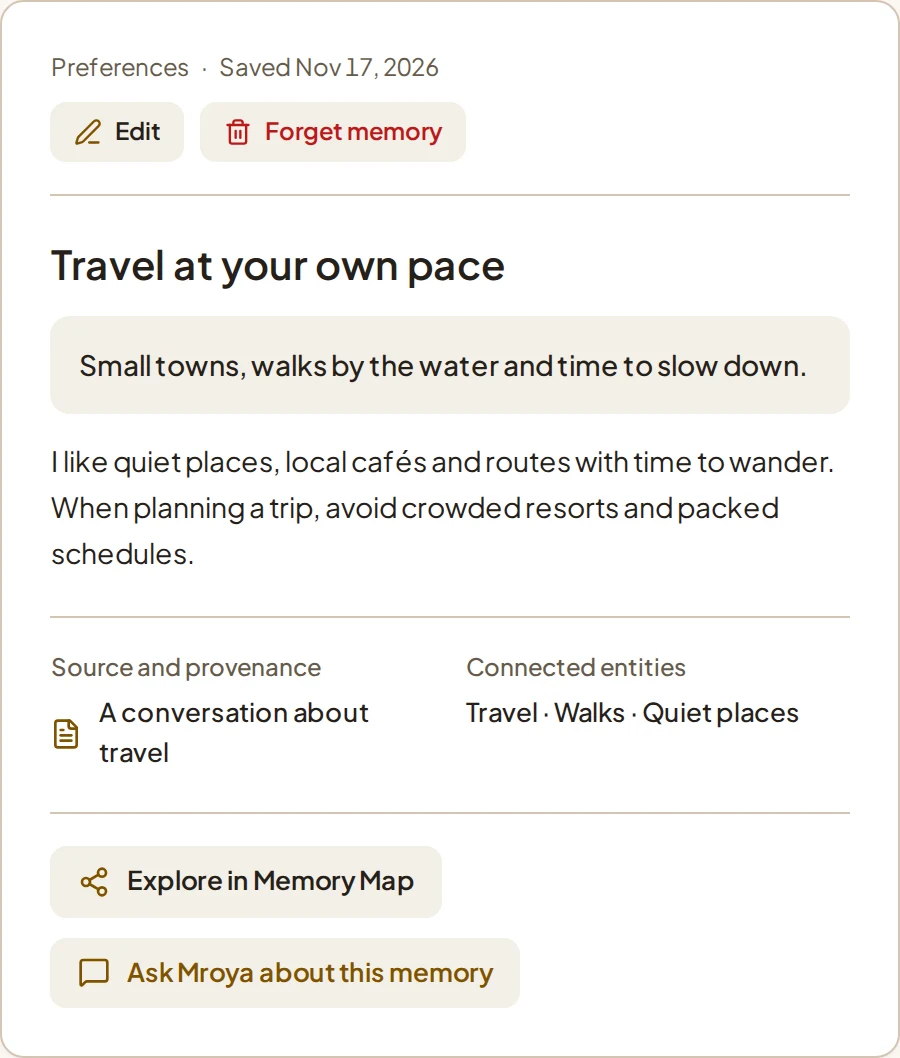
A saved memory in Mroya: quiet places, long walks and travelling at a slower pace
Inside Mroya · another saved memory

Everyday uses

What’s on your mind?

Choose a task to see a sample exchange.

Your request

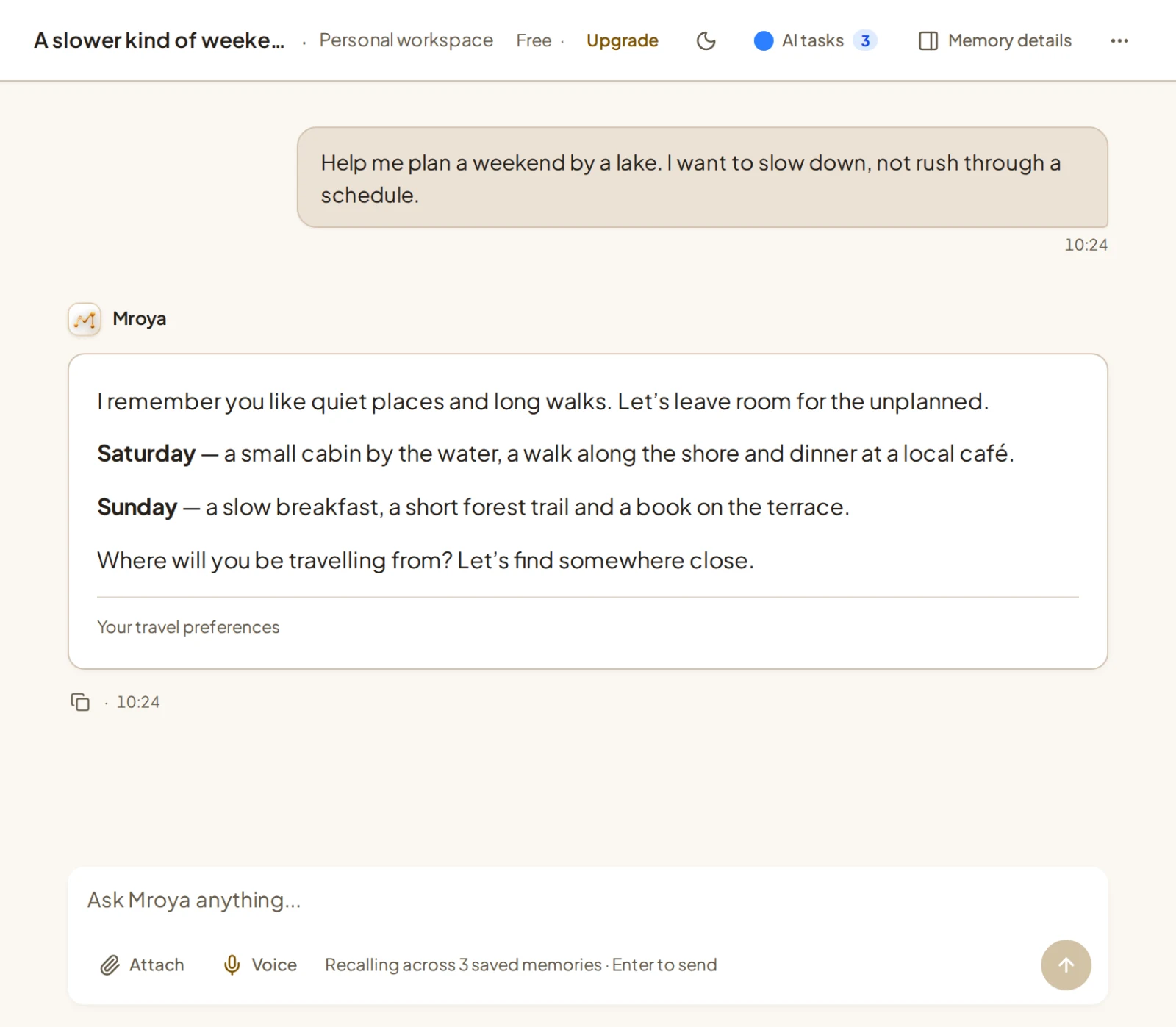
How could we spend a quiet weekend by the lake?

Example response

Take the lakeside path on Saturday morning, then stop at a café in town. Leave Sunday open for a longer walk if you feel like it.

Mroya chat suggesting a quiet lakeside weekend using saved travel preferences
Mroya interface · example conversationView full screenshot

IN OUR USERS’ WORDS

Mroya, in everyday life.

From picking up a project to keeping track of the little things. Here’s what Mroya users have to say.

Finally, some continuity

I've tried a few AI assistants, and my biggest frustration was having to explain my life from scratch every time. With Mroya, I can save things that matter and come back to them later. It's such a simple idea, but it makes the whole experience feel much more useful.

Emily R.Mroya user

Less stuff to keep in my head

Between work, family, and everything else, my brain feels like it has 40 tabs open. I started using Mroya to keep track of little things and make sense of my plans. It hasn't magically made me organized, but I'm definitely spending less time trying to remember everything.

James W.Mroya user

It's the little things

I don't need AI to change my life. I just want something that makes everyday stuff easier. Remembering information I've saved, helping me think through decisions, finding answers when I need them. Mroya does a good job of fitting into my routine without making things complicated.

Sarah M.Mroya user

An AI that knows what I'm working on

I have a couple of personal projects that I pick up and put down all the time. Normally, I'd waste the first ten minutes explaining the background again. With Mroya, I can save the important details and get back to where I left off. That's probably my favorite part.

Daniel P.Mroya user

One less thing to worry about

I work full-time and have two kids, so there's always something I need to remember. Appointments, plans, random things that pop into my head. I like being able to talk things through with Mroya and organize what's coming up. It's become a handy part of my day.

Rachel T.Mroya user

Actually useful, not just impressive

I was pretty skeptical at first. Another AI assistant, right? But the memory feature is what got my attention. I can tell it about something important, save that information, and refer back to it later. It's a lot more practical than asking random questions to a chatbot.

Chris B.Mroya user

A place for all those random thoughts

I used to have notes everywhere. My phone, my laptop, messages to myself. Half the time I couldn't find what I needed. I've started keeping more of that information in Mroya. Being able to ask about something instead of digging through old notes is genuinely helpful.

Olivia H.Mroya user

Helps me get unstuck

Sometimes I spend more time thinking about a task than actually doing it. I'll open Mroya, explain what I'm trying to figure out, and work through the options. I still make the final call, but having somewhere to organize my thoughts makes a difference.

Michael D.Mroya user

No need to start over every time

What I appreciate most is not having to repeat the same background information in every conversation. I've saved details about my preferences and plans, so Mroya has something to work with when I come back. It feels more like a personal tool than a generic chatbot.

Lauren S.Mroya user

The memory is what keeps me using it

I've used ChatGPT and other AI tools for ages. They're great for quick answers, but I wanted something that could remember more about my day-to-day life. That's why I started trying Mroya. I still use other tools, but having my own saved context here is surprisingly useful.

Alex C.Mroya user

Have a story of your own? We’d love to hear it.

Questions

Before you start

How do I start a conversation?

Open Mroya in your browser and sign in. Start with something you’re planning or a detail you’d like to remember.

What can I change in memory?

Open a saved memory to read it, edit its wording or ask Mroya to forget it. You can also ask a follow-up question about that memory.

Can I use Mroya in Telegram?

Yes. Connect Telegram from your Mroya workspace to chat through the linked account. How Telegram works

How is my data handled?

The Privacy Policy explains how conversations, files and account information are processed, including retention and deletion. Read the Privacy Policy

What would you like Mroya to remember?

Start with a preference, a plan or something you agreed to.

Open Mroya