
Decisions on a home project
Save what you’ve picked and one constraint. When you return to the project, ask for the next step within those limits.
“Remember that I’m keeping the existing bookshelves and can only work on this on Saturdays.”
A PERSONAL ASSISTANT FOR REPEAT CONVERSATIONS
You’ve decided to keep the bookshelves in your reading corner. Save that decision in Mroya. Next Saturday, start a new chat and ask what you can do in half an hour. Follow the two conversations below and check which details shape the plan.
Try Mroya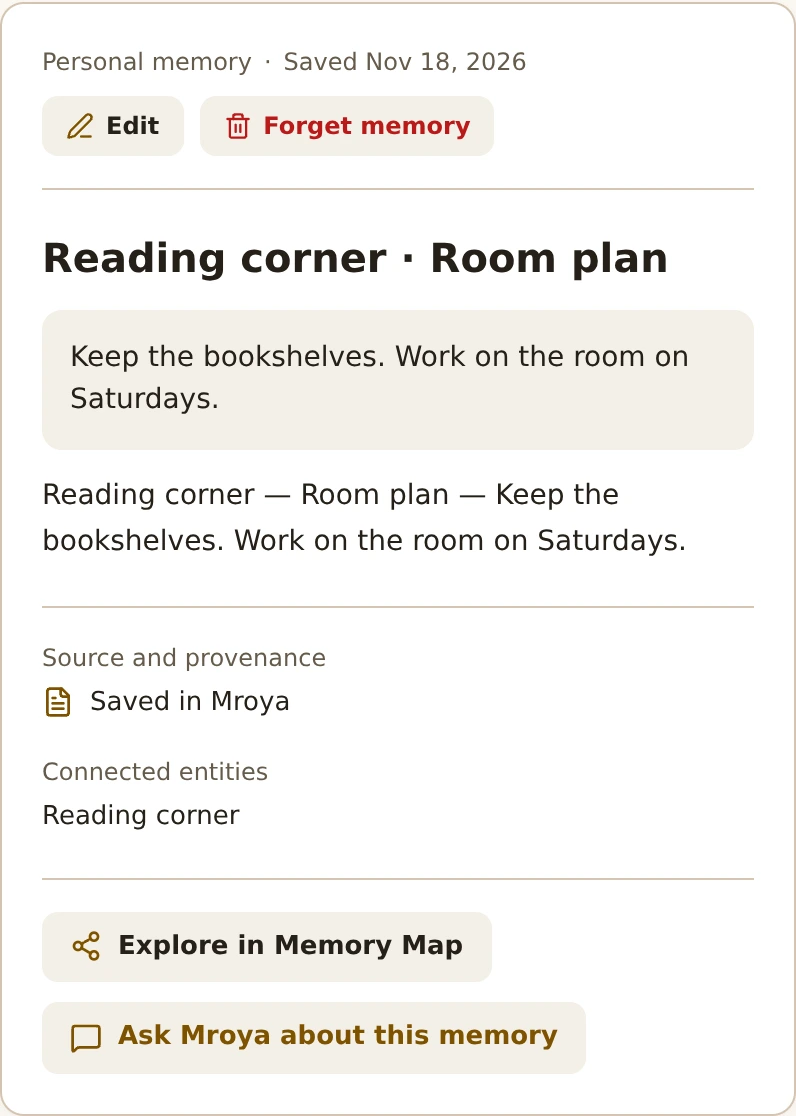
A project across two chats
I’m redoing the reading corner. Remember that I’m keeping the bookshelves and can only work on Saturdays.
Reading corner. Keep the existing bookshelves. Work on the room on Saturdays.
Back to the reading corner. I have half an hour this Saturday. What can I get done?
Keep the shelves where they are for now. Spend ten minutes measuring the space beside them, then try the chair in two positions. Sit down with a book in each spot. In the last five minutes, take a photo of the layout you prefer so you can pick up there next Saturday.
Features
Start with a detail that would change a later answer. A specific preference or a decision you’ve already made is easier to reuse than a long transcript.
Save what you’ve picked and one constraint. When you return to the project, ask for the next step within those limits.
“Remember that I’m keeping the existing bookshelves and can only work on this on Saturdays.”
Save a writing preference you expect to use repeatedly. It can help when you return to draft another message later.
“Save this preference: I like short emails that start with the reason I’m writing.”
Add a recurring constraint, such as your available time. Use it when you want a realistic plan for a new week.
“Remember that I have about twenty minutes to cook on weekdays.”
GETTING STARTED
Start with a note about a real project or a preference you can use this week. Check what the saved memory says.
Name the project or preference you want to use. Ask a specific question, such as what to do next or how to adapt a plan.
Look for the detail in the reply. If it’s missing, point Mroya to the saved note. If it’s out of date, update the note before relying on it.
LET’S CLEAR THINGS UP
Use the information you see saved in memory, such as preferences or notes about a project. If a detail matters for future chats, save it explicitly and check the entry.
Yes. Open the saved memory to review, edit or forget it. This is useful when a preference changes or a project is finished.
Name the relevant project or saved preference and say what you need today. Check the reply against the saved details before acting on anything important.
LET’S START WITH YOUR IDEA
A big plan or a little question. Either is a good way to get to know Mroya.
Get startedYour AI. Your context. Your pace.